An old, truthful saying is, “Prevention is better than a cure.” A modern version might…
What to Look for in a Home Security System
It’s crucial that you consider your home’s security because it contains the things that are most valuable to you—your family members, pets, cherished photos and memorabilia, and important documents and records. Of course, there’s the “stuff” in your life, as well, including clothes, technology, toys, and furniture, all of which are important and worth protecting.
When researching what you need for residential security, it’s important to ensure it includes all the essential equipment—such as base stations, sensors, cameras, and smart devices—to effectively safeguard your home.
The best security systems can provide both protection and peace of mind that you want.
Do I Really Need a Home Security System?
According to the FBI, over 900,000 home burglaries are reported each year in the U.S.
Security systems can offer many benefits. First, they help protect valuables by detecting unwanted intruders. Second, they can deter crime and make the neighborhood safer. Third, they can lower the cost of homeowner’s insurance. Fourth, some systems can provide other functions like remote home access, fire or gas notifications, and the ability to monitor your kids and pets.
When it comes to investing in a home security system, there are many options to choose from, ranging from the simple to the comprehensive. To begin the process, consider these decision points.
- Decide how much protection you need and what features you want in your home security system. Your decision may hinge on the crime rate in your area, the value of your home, the age of your children, how much time each day the home is unoccupied, and how frequently you travel out of town.
- Determine your budget. The cost will depend on how much equipment you need and whether you choose affordable equipment or premium options. As the number of features that you want in your system increases, so will the cost. Affordable equipment options are available for those on a tight budget.
- Decide if you want a wired or wireless system. These days, most systems are wireless. Wireless systems are easier to install and harder for the bad guys to disarm.
- Decide if you want self-monitoring or professional monitoring. Keep in mind that monthly monitoring is a recurring cost for many systems.
- If you choose to have the system professionally installed, you’ll want to have an in-home consultation to review your needs and desires and evaluate the home’s configuration. Professionally installed systems offer expert setup, optimal device placement, tailored advice, and greater reliability than DIY options.
When considering equipment options, alarm bundles are available for those who want a comprehensive package that includes keypads, sensors, and sometimes integrated cameras.
What to Look for in DIY Security Systems
There are five major features in the best home security systems.
Security cameras. Security cameras can monitor, record, and notify you of activity in and around your property, including unwanted visitors approaching the front door, back door, garage door, or selected windows. They can also show you suspicious vehicles or other potentially troublesome activities around your home. Motion detection can facilitate real-time alerts to protect your home, whether you are at home or away. Many systems now offer advanced video support, allowing users to review video event history for enhanced security and incident analysis. Cloud storage is often included, enabling secure storage of recorded footage and remote access from anywhere.
Cameras can be both indoor and outdoor. You can consider additional features like night vision and two-way audio communication. Indoor security cameras, including wireless models, can provide watch-care for children and pets, helping ensure their safety and proper behavior.
Outdoor cameras can focus on critical yard recreation areas like pools, sports courts, patios, and decks. Outdoor protection features, such as active guard and active guard outdoor protection, help safeguard the exterior of your home, especially during nighttime hours. Doorbell cameras, such as video doorbells, can monitor front door visitors, salespeople, and package and food deliveries, and they can even send away unwanted people. The Ring ecosystem, including Ring cameras, Ring Alarm, Ring app, and video doorbell, offers seamless integration and control. Some systems also allow users to run break-in simulations to test their effectiveness.
Professional alarm monitoring and video surveillance. Let’s face it. You can’t monitor your home every minute of every day when you are away. In that case, a professional monitoring plan can give you peace of mind that your property and its safety are being monitored. The monitoring center coordinates with emergency services during an alarm event, ensuring a quick response. Some systems offer video verification to confirm alarms and speed up emergency response.
Energy management. Home security systems can also provide controls over non-security functions like adjusting heating and cooling while you are at work or on vacation. Additionally, light settings can be managed to turn lights on or off at certain times. Smart home features and smart home devices allow integration with third party devices, such as smart thermostats and lighting, for complete control and automation.
Carbon monoxide and fire detection. Fire and carbon monoxide detectors are critical in every home. Using smart technologies, both fire and smoke and carbon monoxide detectors can be integrated with smart technology to ensure the safety of your home.
Wellness alerts. Wellness alerts that protect seniors or individuals with serious physical conditions can be implemented into home security systems, allowing individuals to instantly contact an emergency call center.
Here’s a list of security equipment that many professional home security companies carry for the features and services that they offer.
- Video doorbells.
- Nanny cameras.
- Floodlight cameras.
- Door-window sensors.
- Glass break sensors.
- Motion sensors.
- Motion detectors.
- Entry sensors.
- Door sensors.
- Garage door sensor.
- Security sensors.
- Wireless indoor camera.
- Garage door controller.
- Smart home integrations.
- Wireless monitorings.
- Wireless alarm system.
- Two-way talk technology.
- Fire and smoke alarms.
- Carbon monoxide detectors.
- Professional monitoring.
- Touchscreen control panel.
- Touch screen control panel.
- Control panel.
Many systems offer a basic system option for those with minimal security needs, as well as alarm bundles for more comprehensive protection. Wireless alarm systems are easy to install and compatible with smart devices, smart home devices, and third party devices, often supporting integration with Alexa and Google for the same features across brands.
It is important to note that cellular backup is a key feature for maintaining connectivity during outages, ensuring your system remains operational. These features allow for complete control of your home security and automation from a single platform
Security Camera Features
When selecting a security camera system, you should choose cameras that…
- …work fast. You want cameras that will respond and “wake up” when there is motion in their viewing field.
- …have good video resolution because blurry images aren’t going to be helpful.
- …have night vision since many home invasions happen at night.
- …have two-way audio so you can stay safely inside your home and communicate with outside intruders.
- …have stellar video storage capacity.
- …have a good field of view. It isn’t helpful if all you see is the image just outside the front door, for example.
- …are durable and weatherproof
Consider the Terms of Professional Monitoring
Obviously, a comprehensive professionally monitored system will cost more than a simple off-the-shelf DIY system. But what is the value of safety for your family and possessions? What price can you put on safety? You’ll need to consider the costs of equipment, installation, activation fees, and monitoring costs. Carefully review the terms of your contract, including how long the contract will extend.
What Can U.S. Protective Services Offer You?
U.S. Protective Services offers smart home security systems that provide a simple user experience, value-added options, and comprehensive monitoring.
First, one of our trained security professionals will come to your home and do an assessment. We’ll offer our recommendations based on the number and location of doors and windows, perimeter protection, and other considerations. After that, we’ll give you options that meet your needs and budget.
Once you accept, we’ll install the system professionally and provide you with 24/7 local monitoring services. We’ll also offer you our Infinity Program, a fixed monthly rate program that covers all out-of-pocket costs for repairs, maintenance, and battery replacements.
Our state-of-the-art security and home automation systems offer remarkable security, awareness, and comfort. With our technology, a homeowner can control connected home products like cameras, lighting, detectors, thermostats, and smart locks with a single easy-to-use app.
Here is a refreshed, more distinct set of FAQs that cut straight to practical decision-making—including a head-to-head comparison with off-the-shelf options like Ring.
Frequently Asked Questions
1. What happens if the power goes out or an intruder cuts the internet line?
Your protection stays active. Modern professional systems use cellular backup and battery power overrides. Even if your home loses power or your Wi-Fi drops, the system remains connected directly to the monitoring center, ensuring uninterrupted coverage.
2. Do your customers experience unexpected maintenance and battery costs down the road?
Not with our Infinity Program. Unlike traditional providers that bill you for every service call, replacement battery, or equipment repair, our Infinity Program covers all out-of-pocket ownership costs under a single, predictable monthly rate—giving you zero surprise expenses.
3. Can I manage non-security features—like lights and thermostats—from the same app?
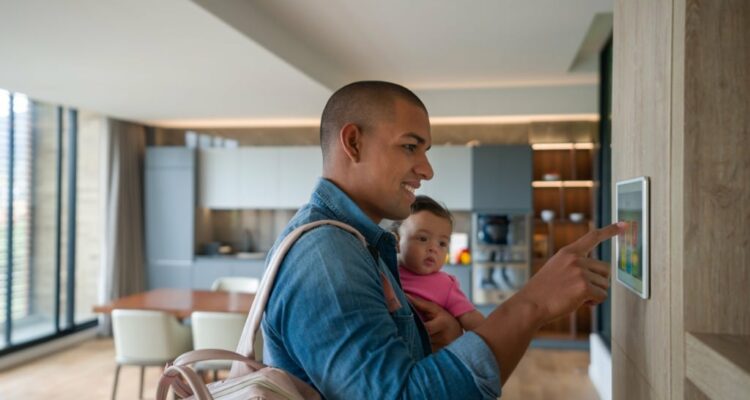
Yes. Modern home security acts as the central command center for your entire house. Through a single interface, you can set automated schedules for indoor and outdoor lights, adjust your heating and cooling while away, monitor carbon monoxide and fire detectors, and unlock smart door locks remotely.
4. What are the key camera features I need?
Cheap cameras often capture grainy, unusable footage when you need it most. Essential features to demand include:
-
Instant wake-up response to capture motion as it happens
-
High-definition resolution and night vision for clear identification
-
Two-way audio so you can speak to visitors or warn off intruders safely from inside
-
Cloud event storage to securely review past footage

Related Posts