Opening a new 24/7 franchise location presents an exciting growth opportunity, but round-the-clock operations introduce…

How to Conduct a Physical Security Assessment
Every commercial facility, whether a bustling corporate headquarters, a busy manufacturing plant, a retail center, or a logistics warehouse, faces unique daily risks. However, many business owners and facility managers approach safety backward: they purchase cameras, install smart locks, or set up alarms before understanding where their property is actually vulnerable.
A physical security assessment examines how well a commercial property protects its people, key assets, and day-to-day operations. Rather than guessing which technologies you need, an assessment allows you to pinpoint specific vulnerabilities first, ensuring that every dollar invested directly mitigates an actual risk.
Every facility requires a tailored approach based on its unique physical layout, operating hours, occupant flow, and risk profile. To build a defense strategy designed specifically for your building, exploring comprehensive commercial security solutions is an essential starting point
What Does a Physical Security Assessment Evaluate?
In practical terms, a physical security assessment is a comprehensive, systematic audit of your entire facility’s physical environment, operational workflows, and technology systems.
It is important to distinguish between simply inspecting equipment and evaluating a property as a whole:
- Equipment Inspection: Checks whether a specific camera turns on, a door latch catches, or a motion sensor flashes.
- Property-Wide Assessment: Evaluates how that camera’s view interacts with lighting conditions, whether that door latch can be bypassed from the outside, and whether staff actually remember to arm that motion sensor at the end of the shift.
A thorough physical security assessment examines several interconnected areas:
- Property and Perimeter: Fences, gates, boundary lines, parking lots, and exterior approach zones.
- Building Entrances and Exits: Main reception points, service doors, emergency exits, loading docks, and window latching mechanisms.
- Interior Access Points: Corridors, stairwells, elevators, server rooms, executive offices, and inventory cages.
- Surveillance and Intrusion Detection: Camera coverage, blind spots, video retention, motion sensors, and alarm panels.
- Lighting and Visibility: Nighttime illumination along walkways, dark recesses near building corners, and sightlines from windows or guard posts.
- Emergency and Life-Safety Systems: Fire alarm pull stations, smoke detectors, illuminated exit signage, and emergency egress paths.
- Security Procedures and Personnel: Key management, visitor credentialing, opening/closing protocols, and guard patrol routes.
Ultimately, the goal of an assessment is not to generate a simple inventory of hardware you already own, but to uncover the functional gaps and structural vulnerabilities that could leave your business exposed.
How to Conduct a Physical Security Assessment
1. Define the Property and Its Security Priorities
Before setting foot on the property, establish the scope and core objectives of the audit:
- Document Facility Details: Note total square footage, number of floors, property boundaries, daily operating hours, and peak occupancy numbers.
- Identify High-Value Assets: List everything that requires protection, including personnel, customers, physical inventory, intellectual property, proprietary data servers, high-end equipment, and financial records.
- Map User Traffic: Analyze how different groups – full-time employees, night-shift contractors, third-party delivery drivers, and clients – interact with the building daily.
- Set Priorities: Define what risks would cause the greatest operational damage (e.g., inventory theft, unauthorized access to customer data, workplace violence) to focus your evaluation.
2. Inspect the Property Perimeter
Begin your physical walk on the outer edges of the property line and work inward:
- Exterior Walkthrough: Walk the full perimeter fence line, surrounding parking structures, exterior walls, loading bays, and utility enclosures rather than heading straight to the front door.
- Identify Blind Approach Paths: Look for unlit alleys, overgrown foliage, trash enclosures, or architectural recesses where an unauthorized person could approach unseen.
- Eliminate Sightline Obstructions: Note large trees, unmaintained shrubbery, temporary storage containers, or signage that blocks views from interior security desks or street-level surveillance.
- Evaluate Exterior Lighting: Inspect perimeter lighting at night to verify that parking lots, walkways, exterior doors, and dark corners have even, glare-free illumination.
3. Evaluate Building Access Points
Every door and window is a potential line of defense or a point of entry:
- Inspect Hardware: Check every exterior door, service hatch, and ground-floor window to ensure frames are sturdy, hinges are non-removable, and locks engage completely.
- Manage Access Permissions: Verify who holds physical keys, keycards, or PIN codes, and evaluate whether access levels match current job roles.
- Test Door Closure Mechanisms: Ensure auto-closers function properly and that doors do not prop open or stick, leaving the facility vulnerable.
- Protect Sensitive Zones: Identify high-security interior zones, such as server rooms, HR files, and cash handling areas, to determine if secondary authentication (e.g., biometric readers or multi-factor access) is required.
- Review Traffic Protocols: Check how temporary visitors, vendors, and delivery drivers are credentialed and escorted once they arrive.
4. Review Surveillance and Intrusion Detection
Surveillance and intrusion hardware must work in harmony to provide actionable intelligence:
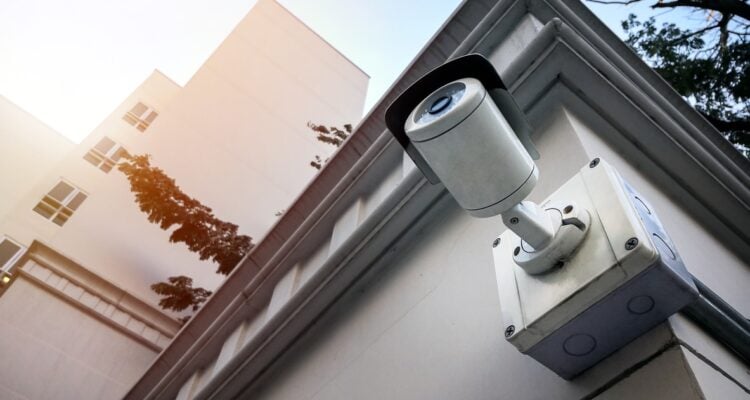
- Audit Camera Placement: Check whether cameras provide clear, unobstructed views of entry points, cash registers, loading docks, and secluded interior corridors.
- Identify Blind Spots: Look for poor camera angles, backlighting issues, or physical obstructions (like suspended signage or lighting fixtures) that reduce clarity.
- Test Intrusion Sensors: Verify that glass-break detectors, door contact sensors, and interior motion detectors are functional and properly zoned.
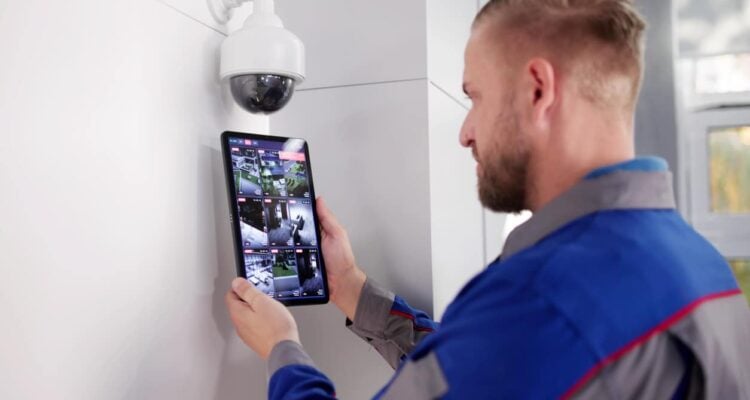
- Verify System Integration: Assess whether an alarm trigger automatically prompts nearby cameras to record, display on monitoring screens, or alert off-site security personnel.
Read More: Essential Features to Look for in Security and Commercial Alarm Services
5. Assess Interior Security and Restricted Areas
A secure perimeter means little if unauthorized visitors can wander freely once inside:
- Trace Interior Foot Traffic: Track the path a visitor takes from the main lobby to public restrooms or meeting rooms to ensure they cannot inadvertently enter private workspaces.
- Secure High-Value Spaces: Confirm that inventory rooms, executive suites, and IT infrastructure remain locked and restricted at all times.
- Audit Employee Access Rights: Ensure employee credentials reflect current duties and that revoked privileges for departed staff are immediately purged from the system.
- Prevent Tailgating: Observe whether employees habitually hold secure doors open for unrecognized individuals out of courtesy.
6. Check Emergency and Life-Safety Protection
Physical security and life safety are deeply intertwined during critical events:
- Inspect Life-Safety Equipment: Confirm fire alarms, smoke detectors, emergency lighting, and sprinkler shut-off valves are unobstructed and operational.
- Verify Egress Paths: Check that emergency exits remain unlocked from the inside, fully accessible, and clearly marked with illuminated signage.
- Review Emergency System Rules: Ensure electronic access control doors automatically unlock during a fire alarm to allow immediate evacuation.
- Confirm Testing Schedules: Verify that life-safety hardware and emergency response procedures are tested on a strict quarterly or annual schedule.
7. Review Security Procedures and Employee Practices
Hardware is only as reliable as the people operating it:
- Evaluate Daily Protocols: Review written opening and closing routines, key-handling policies, and after-hours visitor logs.
- Identify Procedural Drift: Compare official written security policies against actual daily staff habits to spot risky shortcuts (e.g., propping open back loading doors for break times).
- Assess Incident Readiness: Ask employees if they know how to report suspicious activity, handle an aggressive visitor, or respond to an alarm.
- Review Guard Responsibilities: Where security personnel are present, review shift handoffs, patrol logs, and access verification standards.
8. Document and Prioritize Security Gaps
To turn an assessment into real improvements, record every finding in detail:
- Detailed Logging: Record the precise location of each vulnerability, what asset it exposes, and the potential consequence if exploited.
- Separate Immediate vs. Long-Term Actions: Distinguish between quick maintenance fixes (e.g., replacing a burnt-out exterior bulb) and capital projects (e.g., replacing an outdated analog camera system).
- Rank Risks: Prioritize findings based on event likelihood, potential financial or operational impact, asset sensitivity, and cost to fix.
- Choose Non-Hardware Solutions First: Address gaps through policy updates, employee training, or simple maintenance before default-purchasing new technology.
Turn Assessment Findings Into a Security Plan
Once vulnerabilities are identified and prioritized, translate those insights into a practical strategy. A comprehensive security plan aligns specific solutions directly with identified risks:
| Identified Vulnerability | Strategic Recommendation |
| Unmonitored rear entrance after hours | Install commercial access control paired with door position sensors |
| Poor visibility in parking areas | Upgrade to high-lumen LED lighting and reposition HD cameras |
| Frequent unescorted visitors in hallways | Implement visitor management software and badges at reception |
| High risk of inventory shrinkage in stockroom | Deploy thermal/motion sensors integrated with 24/7 alarm monitoring |
| Disorganized key management | Transition from mechanical keys to smart credentials or mobile access |
Technology should always support your property’s operational requirements, never dictating them. Choosing equipment before understanding your building layout often leads to overspending on unnecessary hardware while leaving critical security gaps exposed.
To ensure your plan is built on sound technical analysis, U.S. Protective Services offers comprehensive onsite commercial security assessments. Our experienced team uses assessment findings to design custom security strategies combining access control, video surveillance, alarm monitoring, and system integration tailored to your precise facility needs.
Reassess the Property After Improvements
Physical security is not a one-time project; it is an ongoing operational process. Facility layouts evolve, tenant needs change, and new security threats emerge over time.
Facility managers should reassess their physical security strategy whenever key changes occur:
- Major Renovations or Expansion: Adding square footage, altering walls, or reconfiguring office space changes traffic patterns and camera sightlines.
- Changes in Building Use: Converting warehouse space into office cubicles or opening a facility to third-party vendors alters your risk profile.
- Operational Policy Shifts: Moving from fixed daytime hours to a 24/7 operational schedule creates new security demands.
- Post-Installation Audits: After installing new hardware, perform follow-up audits to confirm that cameras, access readers, and alarms function correctly under real-world conditions.
FAQs About Physical Security Assessments
How Often Should A Business Conduct A Physical Security Assessment?
A commercial property should undergo a formal security assessment at least once per year. However, additional assessments should be conducted immediately following major facility renovations, significant changes in operational hours, high-profile security incidents, or updates to access control policies.
Who Should Conduct A Physical Security Assessment?
While internal facility managers and safety directors can handle routine walkthroughs, partnering with an experienced external security professional provides key advantages. Professional security experts bring unbiased eyes, industry certifications, and deep knowledge of current compliance standards and security technology to uncover subtle vulnerabilities internal teams might overlook.
What Should Happen After A Physical Security Assessment?
After completing an assessment, document all findings in a centralized report, categorize vulnerabilities by risk level, and establish a clear implementation roadmap. Use this plan to assign budget, establish repair timelines, update employee training programs, and deploy necessary security equipment upgrades.
Find the Gaps Before They Become Problems
An effective physical security assessment looks beyond individual pieces of hardware. It evaluates your entire property, how your team moves through it, and how your protective measures function as an integrated defense. Identifying gaps before an incident occurs is the single best way to protect your business, employees, and bottom line.
Don’t wait for a security breach to reveal your property’s weaknesses. Book a comprehensive security inspection for your facility and build a safer commercial environment.

Related Posts